 XShot
Capture, annotate, record. One app.
Screenshots, scrolling captures and screen recording for Mac, with an editor that keeps your annotations editable and a history of everything you captured.
Area, window, full screen
Drag an area or click a window. The screen freezes while you choose, so menus and hover states stay in the picture.
Scrolling capture
Select the area, scroll down, press Done. XShot stitches one tall image and leaves sticky headers out.
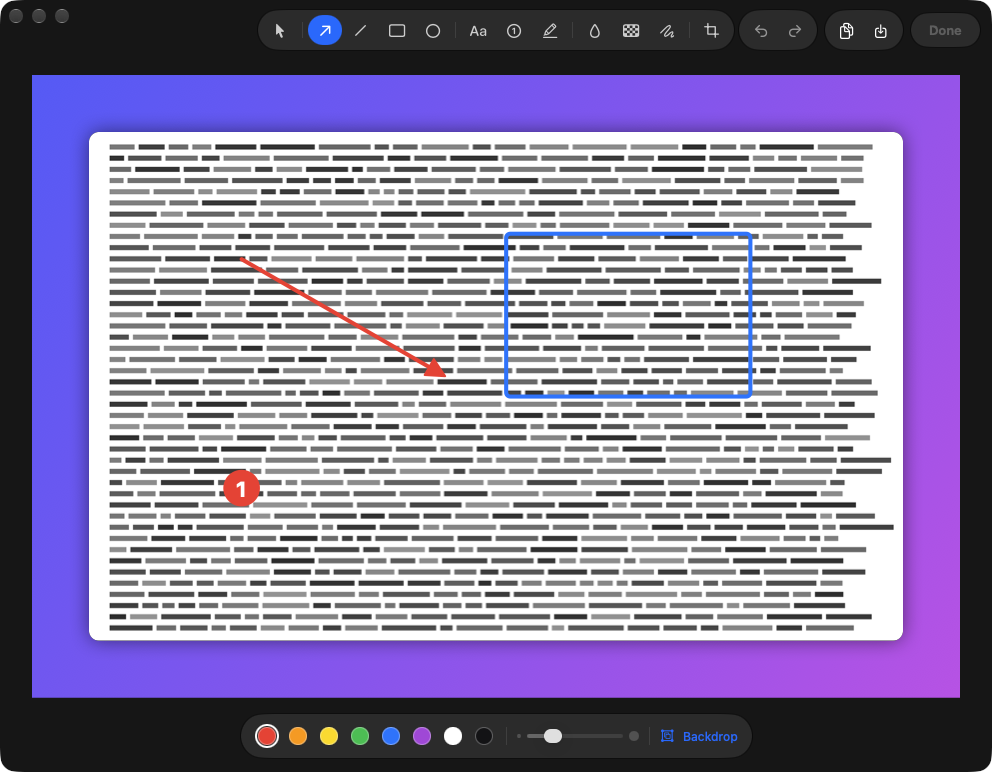
An editor you can come back to
Arrows, text, numbered steps, blur, crop and a backdrop. The original is kept, so annotations stay movable after you save.
Screen recording
Record an area or the whole screen with system audio, microphone, mouse clicks and a camera bubble. Trim it or export a GIF.
A stack that waits for you
Each capture appears in the corner, ready to drag into any app, and is copied to the clipboard. Then it gets out of the way.
History
Every screenshot and recording stays in one place, so yesterday's capture is two clicks away.
Four shortcuts, all yours to change
- ⌃1Screenshot
- ⌃2Scrolling capture
- ⌃3Record area
- ⌃4Record screen